EOC Bootcamp: No School Like the Old School!
Technology has improved our ability to respond to emergencies, but good old-fashioned printed maps still have an important role to play. As we explore in this EOC Bootcamp post, maps help teams visualize an evolving emergency, build situational awareness, and make better decisions.
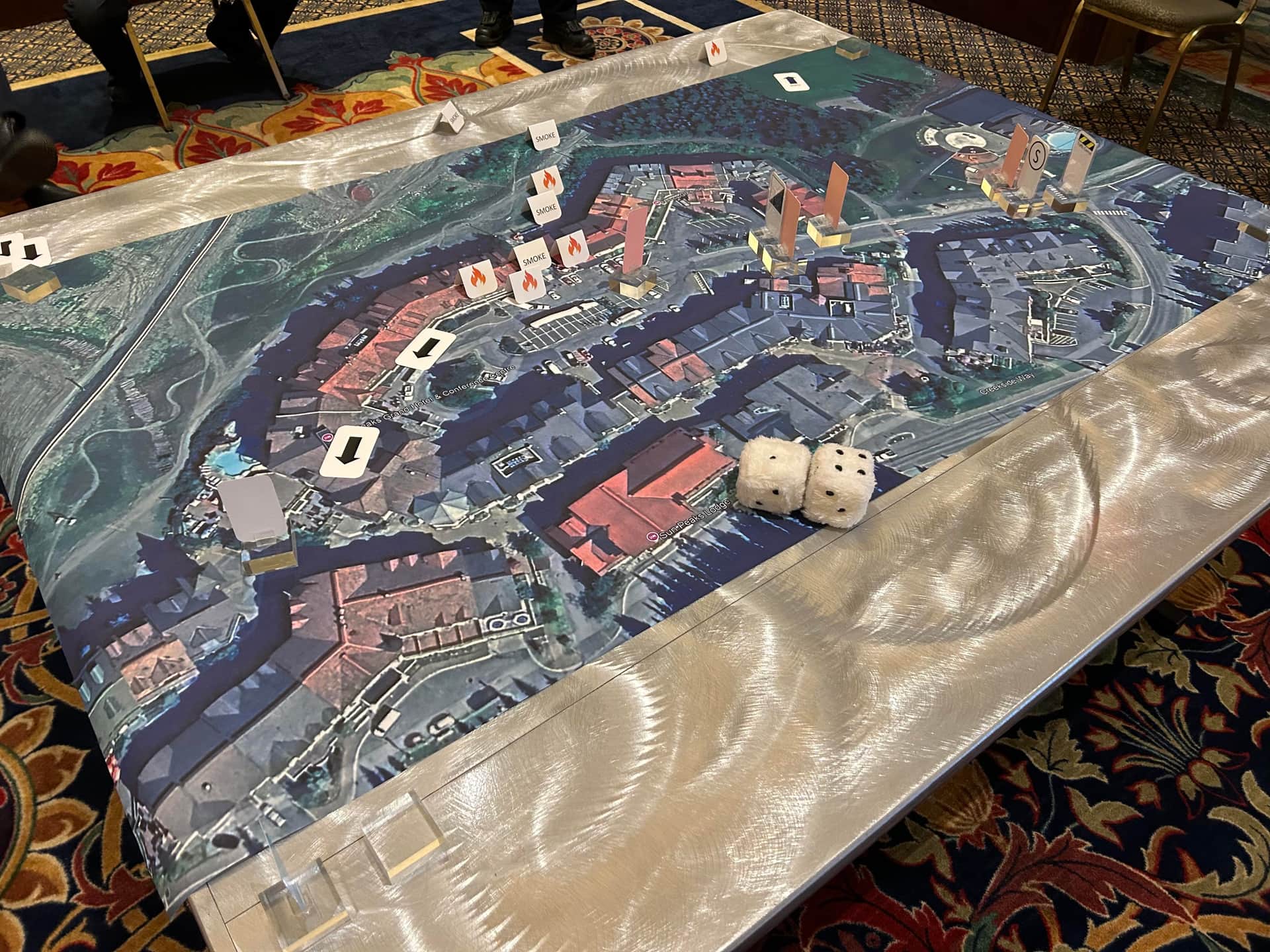
Technology has improved our ability to respond to emergencies, but good old-fashioned printed maps still have an important role to play. As we explore in this EOC Bootcamp post, maps help teams visualize an evolving emergency, build situational awareness, and make better decisions.
Why Maps Still Matter
Technology is important in emergency management. It allows us to collect and collate information, build situational awareness, share information, and coordinate response activities more effectively. This is true during emergency response, and also during preparedness activities like exercises and drills.
But it’s important to remember that old school works too.
I’m talking about maps. Maps with boundaries, objectives, hazardous areas, road closures, critical infrastructure, and resource locations. Maps that allow us to take in important geographic information at a glance. Big maps that you can put on the wall for everyone to see.
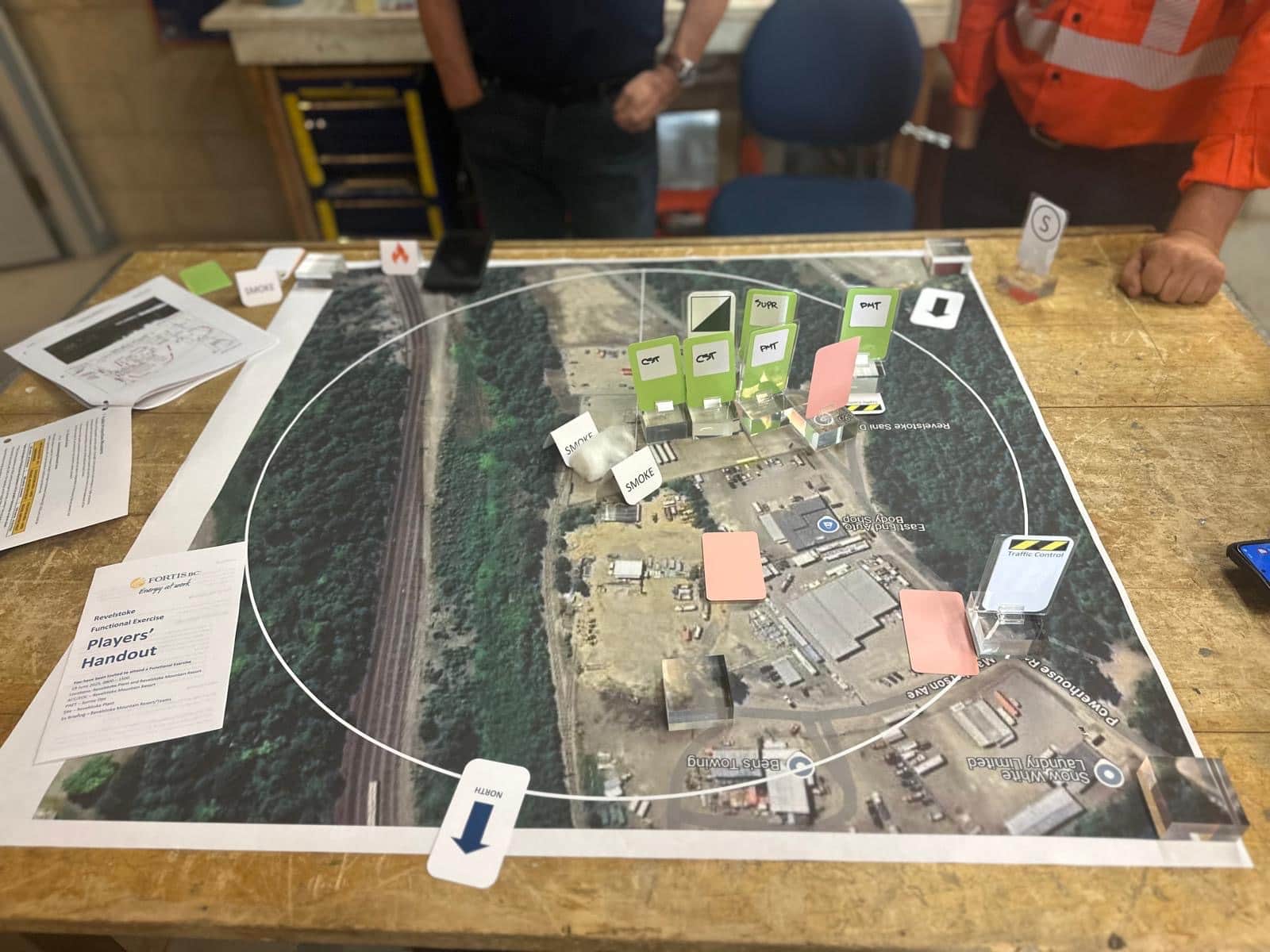
Why does this matter? Because an EOC team needs a shared picture of what is happening. A map can help people understand where an incident is unfolding, which areas are affected, where resources are located, and how the situation is changing. It can bring together information from different sources in a way that’s easy to understand.
Provincial operational guidelines for EOCs recommend keeping copies of maps in the EOC facility, but maps are useful in emergency exercises, too. They give participants a common reference point and help them practise making decisions based on changing conditions.
Why Not Use Both?
We know what you’re thinking. “We have a GIS. We don’t need paper maps.”
And you may have a point. That is, as long as you have a way to display the information so everyone who needs it can see it, and as long as you can reliably access your software and data when you need them.
What happens if the internet goes down, the power fails, or a system becomes unavailable?
It’s worth considering how you’ll keep essential EOC functions going if your technology fails. That includes not just mapping software, but computers, display screens, communications equipment, network access, and backup power.
You may want to consider using both: digital mapping as your primary means of gathering and displaying geographic information, with a paper-map backup.
Putting Maps to Work in Ally's Tabletop Exercises
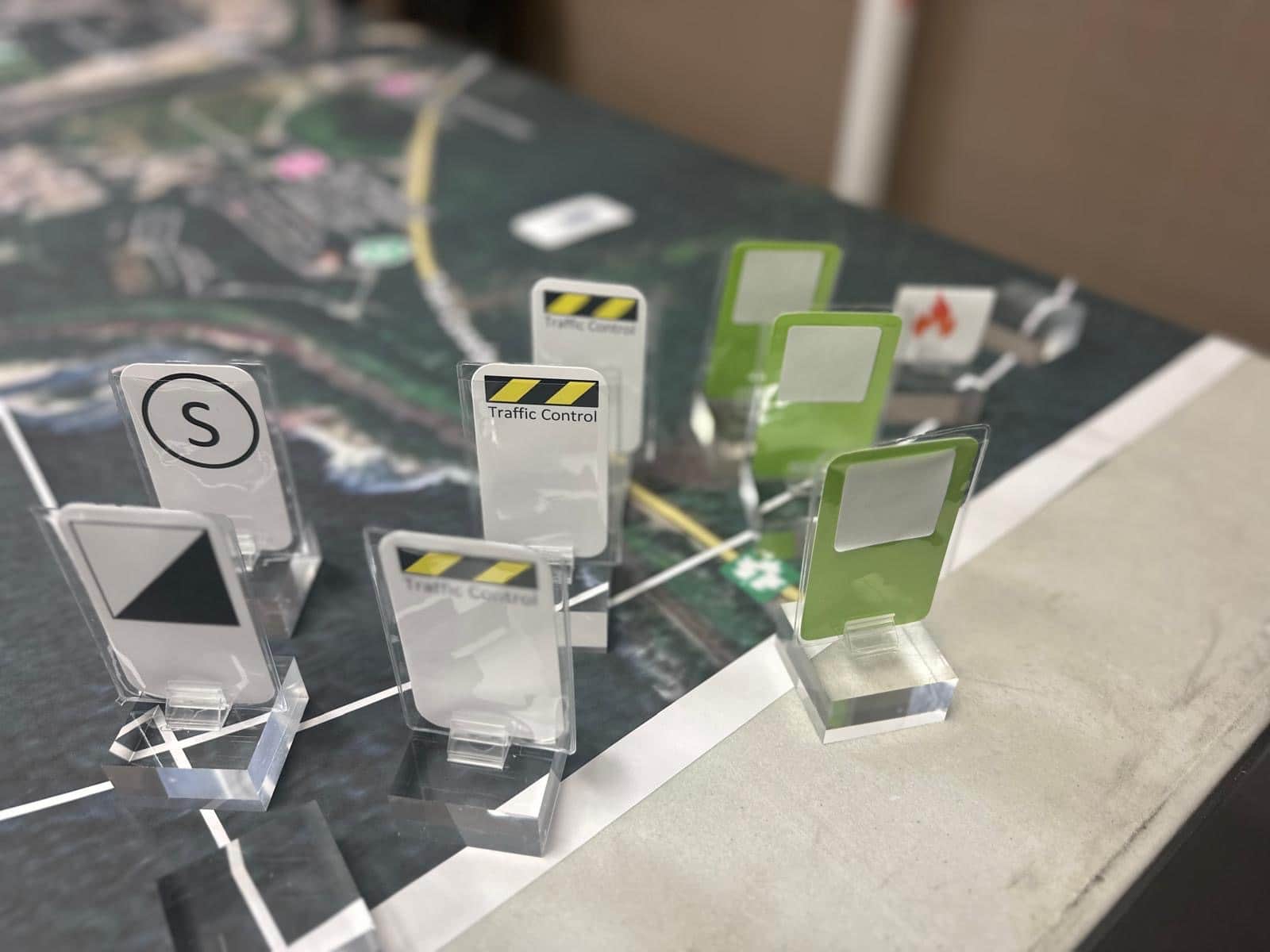
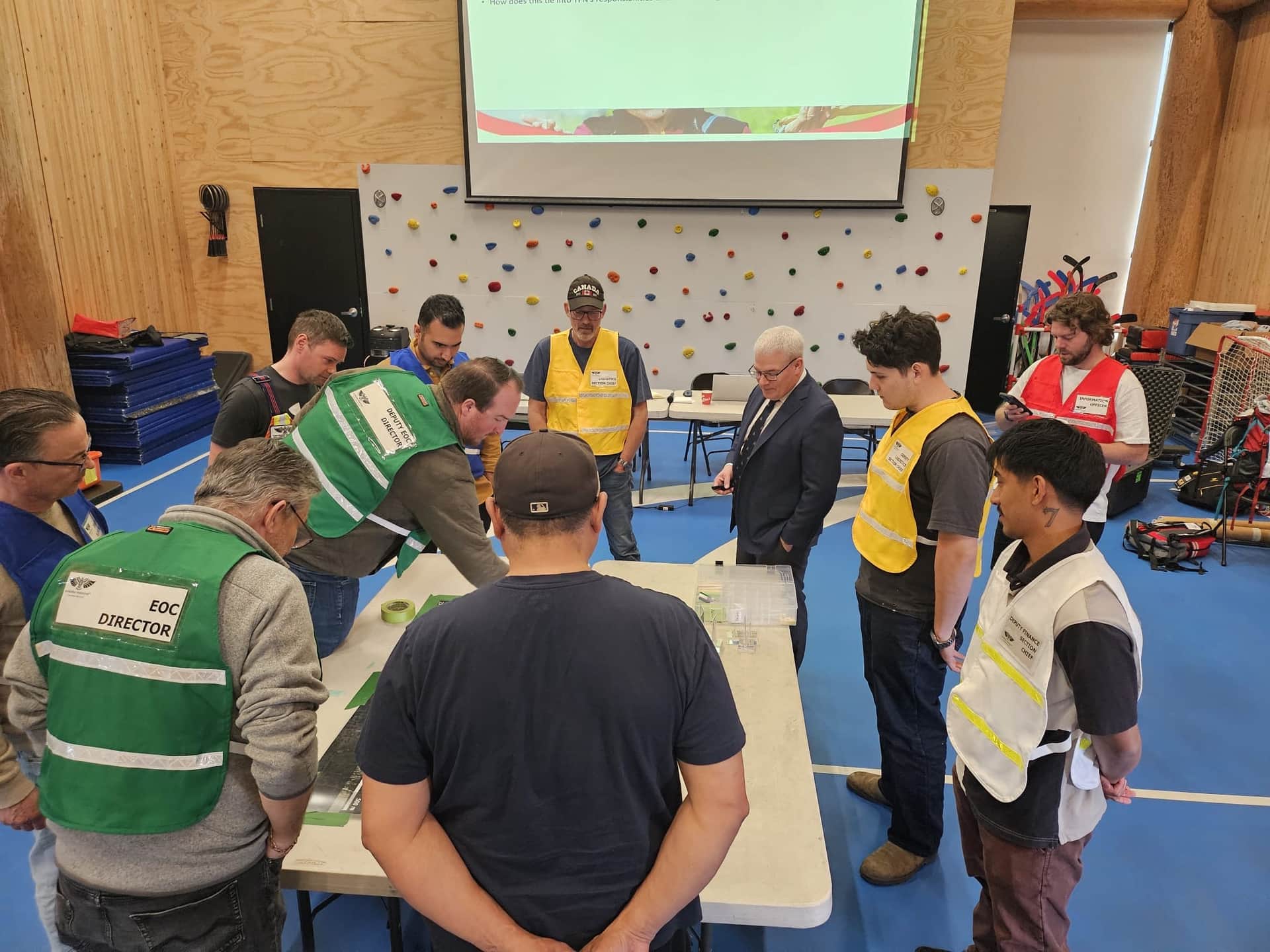
At Ally, we include printed maps in all our tabletop exercises (TTXs). They give participants something tangible to gather around as they discuss the scenario, share information, and work through decisions together.
Having a map in front of everyone helps participants visualize where things are happening, consider how different developments might affect other areas, and discuss the implications of their decisions. It’s a simple tool, but one that can help bring the scenario to life and get people talking.
What Should You Put on Your Maps?
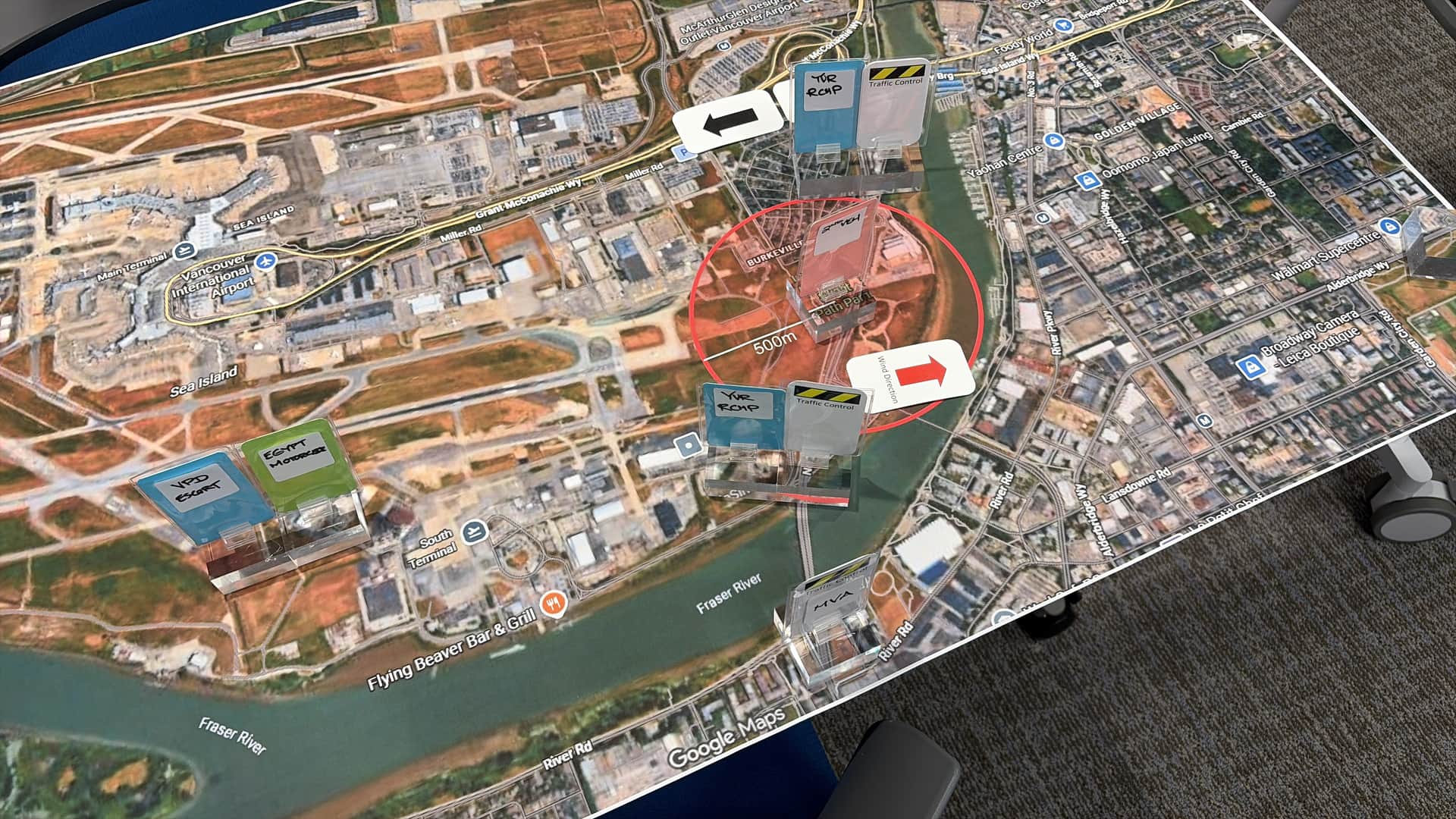
The information you need will depend on the emergency or exercise. We would recommend not trying to put everything on one map. Use separate maps or transparent overlays for different types of information.
Here’s a list of things you might want to consider:
· Name of the incident or exercise.
· Date and time the map was last updated.
· Location of the incident site and incident command post (ICP).
· Boundaries for strike teams, task forces, or other assigned areas of responsibility.
· Locations of assembly areas, collection points, evacuation zones, and shelters.
· Damaged areas, debris reports, and affected infrastructure.
· Hazardous materials locations and projected areas of impact, where known.
· Current and projected flood extents or high-water marks.
· Important routes, road closures, and detours.
· Locations of major resources, including vehicles, equipment, staging areas, and personnel.
Use a clear legend to make sure everyone understands what the symbols mean. If information is uncertain or unverified, make that clear, too.
Being able to visualize closures, hazards, affected areas, and resource locations can be critical to building situational awareness for responders and supporting effective decision-making.
Practise Before You Need It
Emergency exercises are a good opportunity to test whether your maps, technology, and backup arrangements work as intended.
Can everyone who needs the information access it? Are maps being updated consistently? Can your team continue operating if a key system becomes unavailable? Do staff know where to find backup maps and equipment?
These are simple questions, but they can reveal gaps worth addressing before a real emergency.
Technology gives us some powerful tools. Just make sure you know how to use them, and have a backup plan when they don’t work.
Sometimes, there really is no school like the old school.
--
This article was originally written and posted on Dave Whittier’s LinkedIn profile. It has since been revised and expanded by the Ally team, with assistance from generative AI editorial tools.